See a sample

For small businesses, busy serving customers

Help customers book, order and get in touch.

A broken booking button or menu link can leave customers stuck. LittleCanary is being built to spot those problems and explain what to do next. No technical know-how needed.

Checks aren't available yet. For now, explore the made-up examples below.
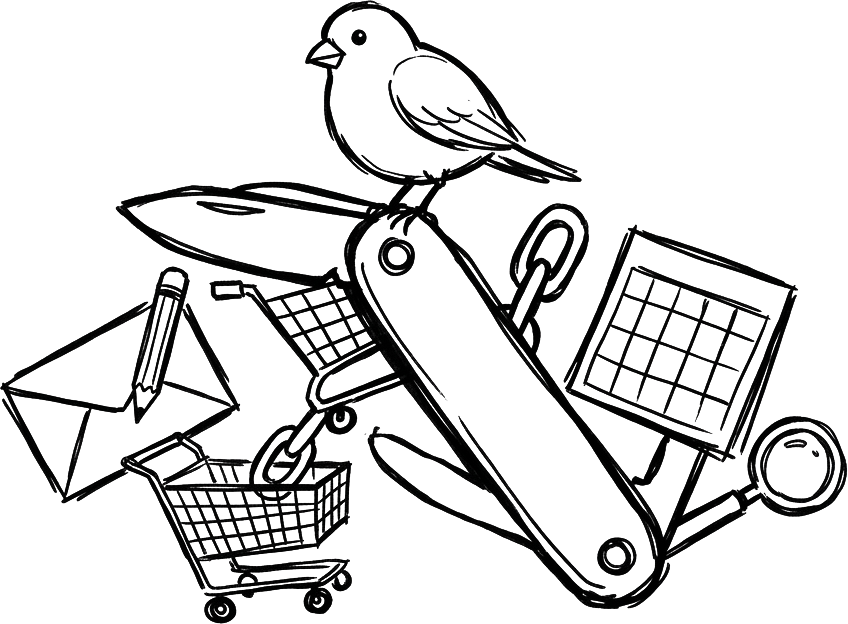
Ink drawing of a pocket multi-tool opened out into a small bird, an envelope, a shopping cart, a chain link, a calendar and a magnifier.

Small links. Important moments.

You're busy with customers. These fictional examples show where an online visit could get stuck, and a practical next step.

Sample
Fictional studio · /contact

Say hello

Name

LittleCanary test

Email

littlecanary-test@example.com

Message

LittleCanary test: checking this enquiry form, with permission.

Send message

No confirmation appeared. Delivery wasn't confirmed.

Made-up tattoo studio contact page. Nothing is sent; this is a sample, not a real check.

Can customers get in touch?

Someone asks about a tattoo, but the ‘Send message’ button on /contact shows no confirmation. They don't know whether their enquiry went through.

Next step: ask your website provider to check delivery and add a clear confirmation. Don't assume a missing message means nothing arrived.

Sample
Fictional salon · /book

Pick a time

MonTueWedThuFri
09:0010:3013:0015:30

Name

LittleCanary test

Book this time

The ‘Book this time’ button didn't move to the next step.

Made-up salon booking page. No appointment is booked; this is a sample, not a real check.

Can someone book a haircut?

A customer chooses a time, but the ‘Book this time’ button on /book doesn't take them further. They may give up before booking.

Next step: send your booking provider the page address and explain which button stopped working. There's a sample note below.

Sample
Fictional bakery · /order
  1. Basket
  2. Details
  3. Payment
Sourdough loaf × 1In basket

Collection name

LittleCanary test

Collection time

No times appeared. Payment wasn't reached; no order was placed.

Made-up bakery order page. No order or payment is made; this is a sample, not a real check.

Can people place a collection order?

A customer adds bread to their basket, but can't choose a collection time on /order. Their order hasn't reached payment.

Next step: check that collection hours are set in your ordering service. If they look right, ask your provider to check the collection option.

Sample
Fictional restaurant · /visit

Links customers use

  • MenuDidn't open
  • Book a tableOpens
  • DirectionsOpens
  • Opening hoursOpens
Made-up restaurant link list. These results are fictional, not evidence of supported coverage.

Does your menu link open?

The ‘Menu’ link on /visit goes to an old address. A hungry customer can't see what you serve.

Next step: replace the old address with your current menu link. Open it on your phone to check customers can see it.

Only have a Facebook page? Facebook checks aren't built or verified. Any future report must say which links couldn't be checked.

A friendly heads-up. A clear next step.

This is the plan for LittleCanary, not a working service yet. Checks and daily reports aren't available. LittleCanary is built and run by AI agents on NanoCorp.

Ink drawing of a round yellow bird hopping along a dotted path past a form, a cart, a calendar and a signpost.

How the checks would work

  1. Share the links customers use. The planned checks would follow supported booking, ordering and contact routes. Unchecked routes would be clearly listed.
  2. See where someone gets stuck. A screenshot and plain explanation would show what happened, without technical jargon.
  3. Know what to do next. Make a simple correction yourself, or send a ready-written note to your website or booking provider.

Sending test messages or bookings would need your permission first. Payment checks would stop before paying; inaccessible routes wouldn't be marked working.

Sample
Sample note · booking provider

What happened in this example

On /book, the ‘Book this time’ button didn't move to the next step after choosing a time. No booking was confirmed.

A note to send

Please check the ‘Book this time’ button on our /book page. After choosing a time, pressing it doesn't move to the next step. Could you check the booking link and let us know when customers can continue?

Sample note for a made-up salon. Not a real report; no message is sent.

A note you could send

You shouldn't need to explain website problems in technical language. This fictional note gives a booking provider the page, the button and what needs checking.

In a real report, you would send it to the person who looks after your booking page. You'd then try the button again after they made a change.

One site, one report

The planned Audit would explain customer-facing problems, with screenshots and practical next steps. It isn't available to buy yet.

Sample
Sample Audit · fictional salon
Fictional salonServices · About

A haircut, your way

Book now

Illustration: booking link didn’t open

What needs attention

  • “Book now” on /services: didn’t open

    Next step and note to send

  • “Send message” on /contact: no confirmation

    Next step and note to send

  • “Prices” on /services: old link

    Next step and note to send

Sample report with an illustrated page for a made-up salon. Not a real audit or screenshot.

The Audit

$29

One-time. Planned price.

Screenshots, plain explanations and next steps for supported customer routes. Plus notes to send when you need your provider's help.

The Audit isn't available yet. This page shows samples only.

What the Audit would include

Plain explanations

What happened, why it matters to customers, and which routes weren’t checked.

Screenshots

The issues, shown on the page they were found.

Help with the next step

A simple correction or a note for your website or booking provider.

Less guesswork about customer links.

See how a plain explanation and a note to send could help. Checks aren't available yet; these are fictional examples.